
Free WordPress plugin
Translate WordPress into every language your customers read
Tranzly turns every page, product and menu into a real page in each language, translated by DeepL or the AI you choose on your own account. No word limits, no translation bill from us, and search engines find every language.
Already had a free trial? Buy now
Tested with: WordPress 7.1.3, GeoDirectory 2.8.193, UsersWP 1.2.77, and GetPaid 2.8.63. Full compatibility list
Active on 7,000+ WordPress sites, as counted by WordPress.org.
Why Tranzly
A multilingual site that stays fast, ranks and costs less
A multilingual site usually costs speed and search ranking: translation plugins that rewrite every page on the fly add database queries, set cookies that defeat page caches, and leave search engines unsure which page is which language. Tranzly adds at most two database queries to a translated page, sets no cookie, and gives every language its own address, so caches keep working and search engines see each page clearly. Your corrections are protected from re-translation, and your old Tranzly 2.x translations are imported in the background without being changed.
No word limits, ever
Translate a 10-page site or a 10,000-product shop: Tranzly never counts words. You pay your translation service directly, usually a few dollars.
Every language on Google
Each language gets real pages with their own addresses, so people searching in German, Arabic or Japanese find you.
Fast pages, no cookie
A translated page adds at most two database queries and no cookie, so your caching keeps working and pages stay quick.
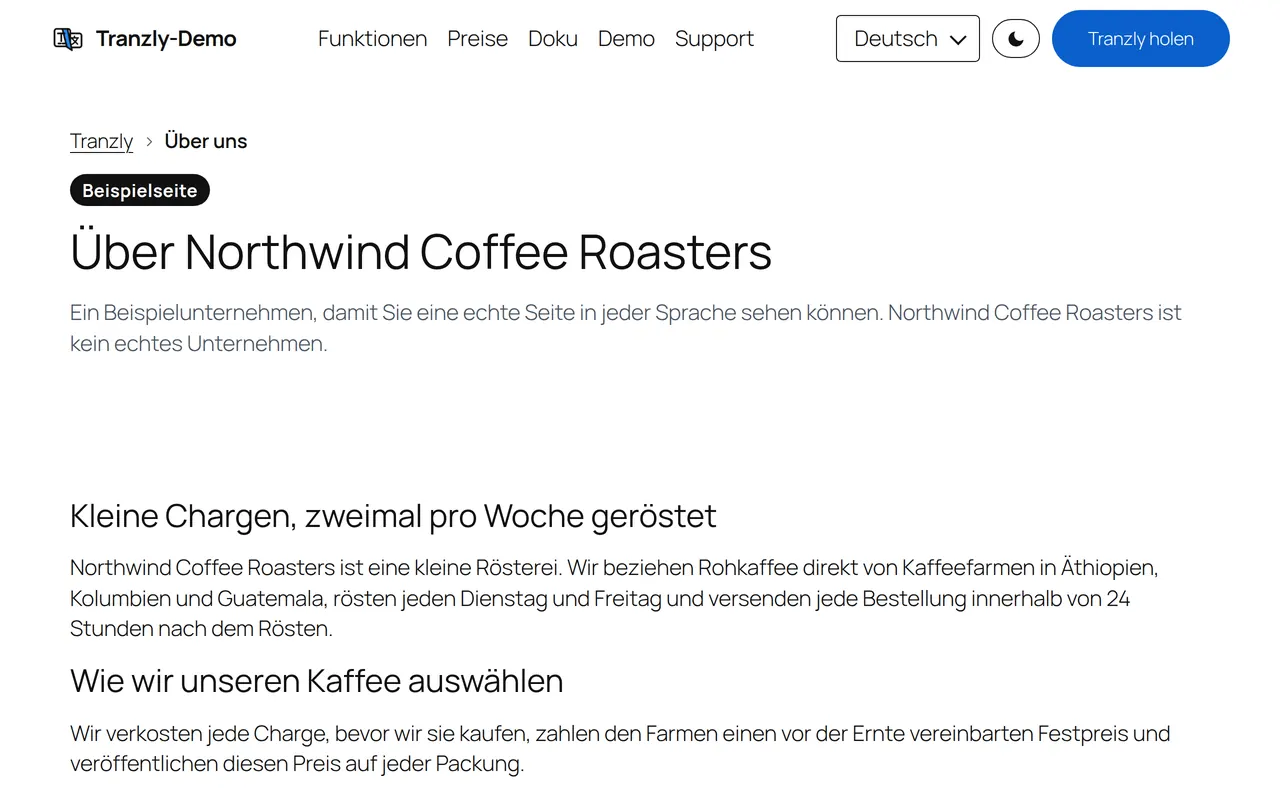
Watch one site change language
A short recording of our demo site in English, German, Arabic and Japanese. There is no sound: the captions are in your language.
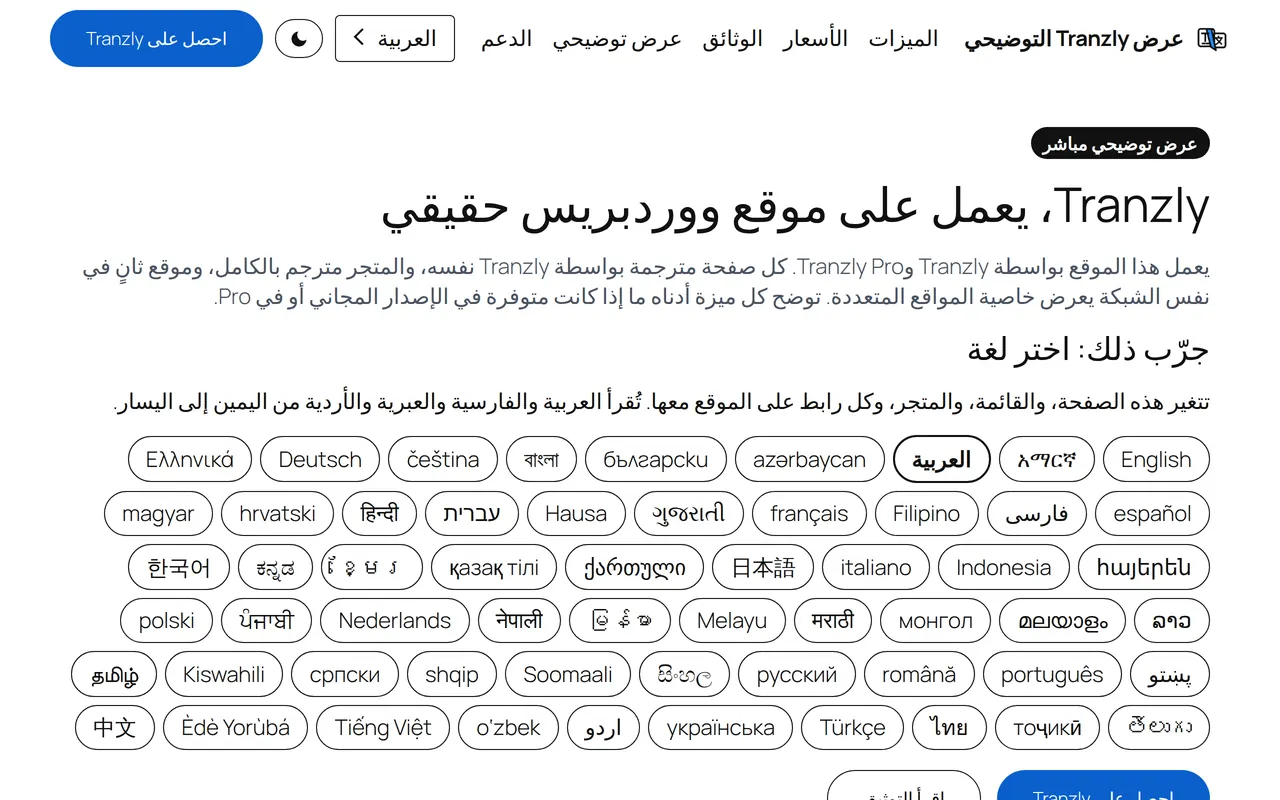
58 languages
This website is in 58 languages. Tranzly translated every one.
Pick a language: the page, the menu and every link change with it. Arabic, Persian, Hebrew, Urdu and Pashto read right to left.
See everything at a glance
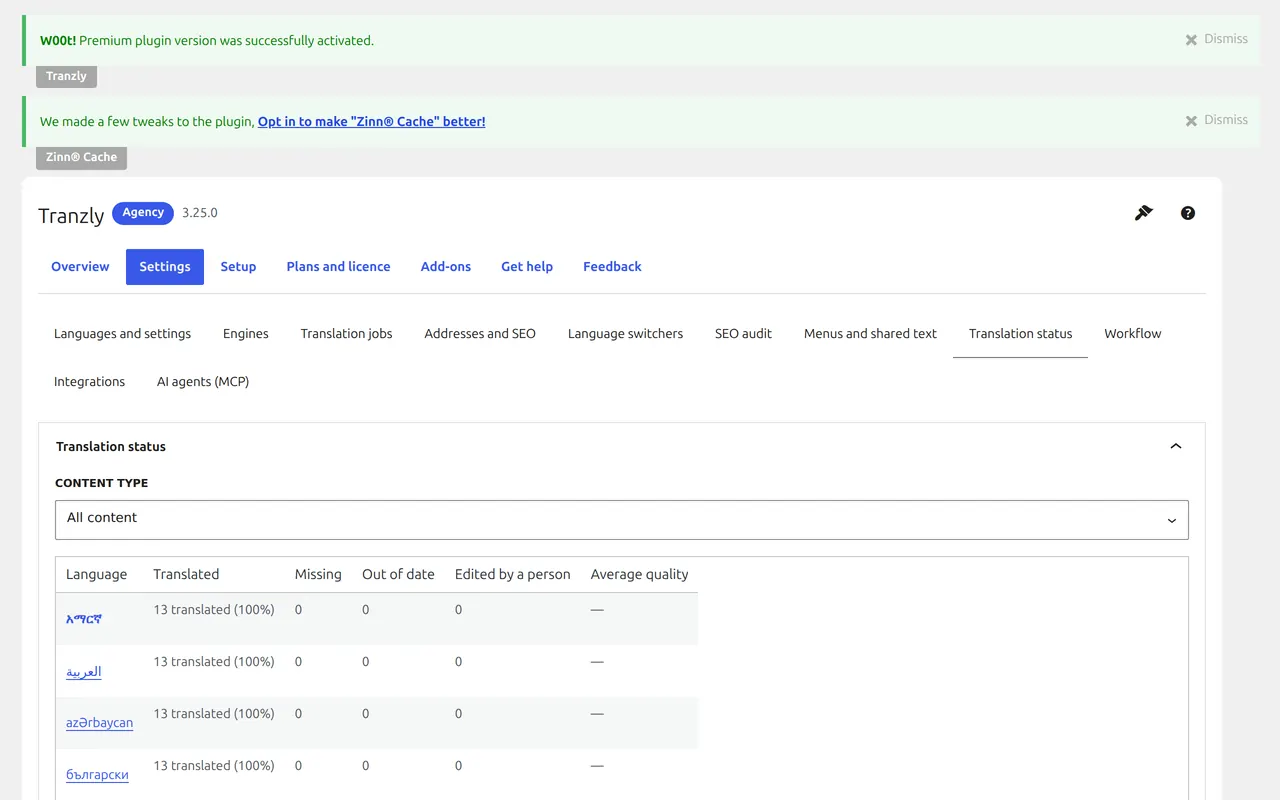
Know what is translated in every language
What is translated, missing, out of date or corrected by a person in every language, with one click to fix the gaps. Translate a whole post type into several languages as one job that keeps going after you close the browser, with a report and one-click retry.
Your translator, your price
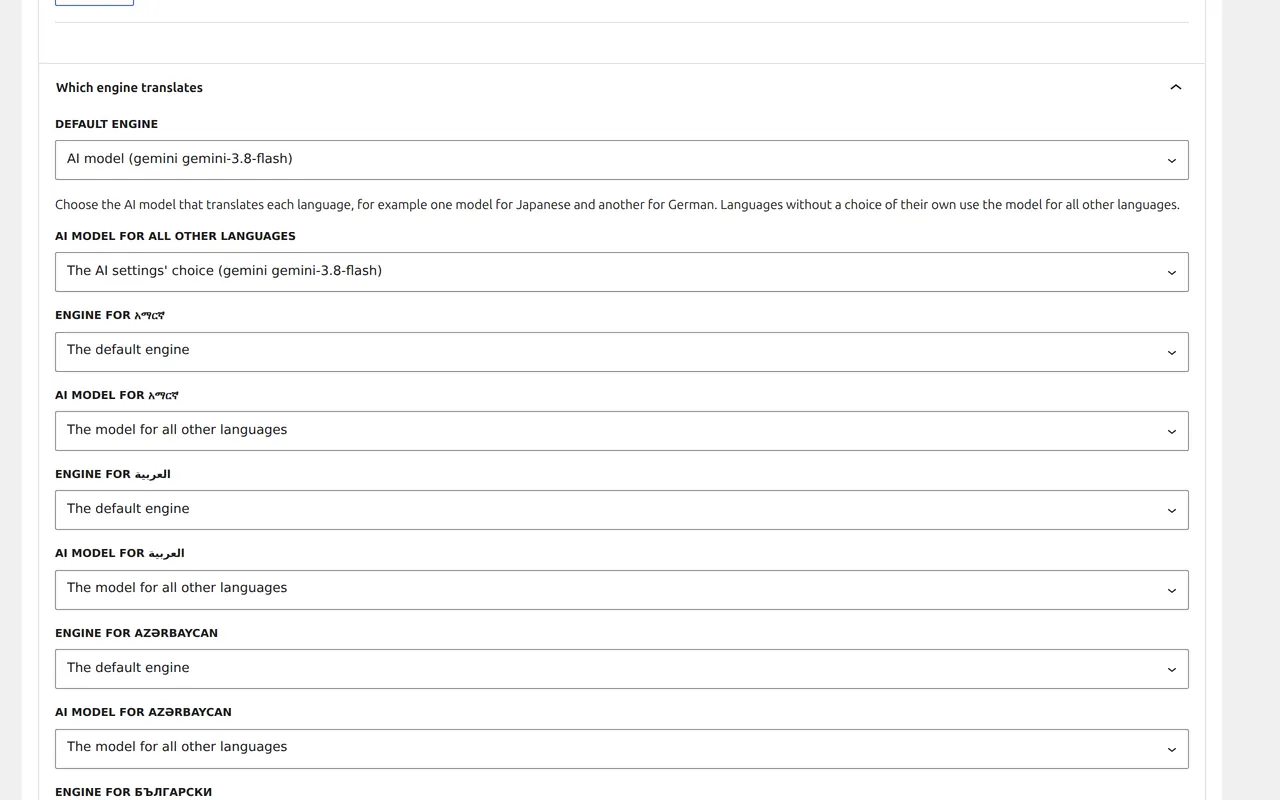
Pick the best translator for each language
Use DeepL for one language and an AI model for another, or one for everything; with Tranzly Pro, even a different AI model for each language. In 28 languages, translations also follow the style rules of that language’s WordPress translation team. Your keys stay encrypted on your site and are sent only to the service they belong to.
Built for search
Real addresses in every language
/about/ becomes /de/ueber-uns/, including category, tag and product bases, and old addresses redirect permanently. Reciprocal hreflang with x-default, og:locale, canonical addresses per language, and every language in the sitemap of WordPress, Yoast SEO, Rank Math, SEOPress or All in One SEO.
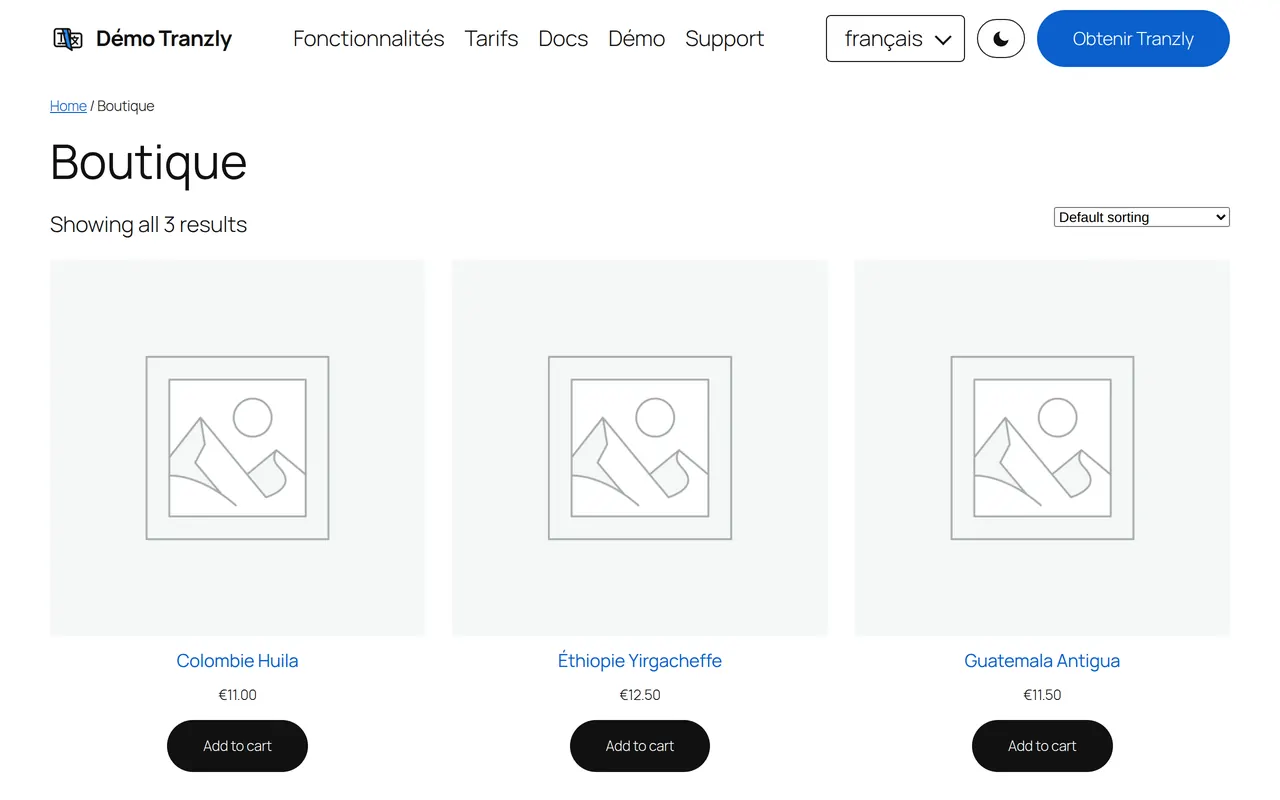
WooCommerce
Your shop, in your customer’s language and currency
Variations, attributes, the shop, cart, checkout and account pages, payment texts and every customer email in the order’s language, with price and stock kept in step. Per language, per country or chosen by the visitor, with your own rounding and rates you set or the European Central Bank’s, updated daily.
No word limits
Translate every word. Pay your translation service, not us.
Most translation plugins sell words: a plan includes so many, and a bigger site needs a bigger plan. Tranzly never counts your words. You connect your own DeepL, Google, Microsoft or AI account and pay that service directly, at its own price, which for most sites is a few dollars. Weglot’s pricing page, for example, says of its word allowance: “Total unique words translated across all your languages. This is a fixed limit and does not renew.” (weglot.com/pricing, read on 2026-10-04).
Everything you need
More reasons people choose Tranzly
Found on Google in every language
Translated addresses, hreflang, sitemaps and SEO fields, so each language ranks on its own.
Your choice of translator
DeepL, Google, Microsoft or the AI model you prefer, on your own account, at its own price.
Check and correct with ease
A side-by-side editor, a glossary, translation memory and an AI quality check.
Sell in every language
Products, checkout, emails and prices in your customer’s currency.
Keep your page builder
Elementor, Divi, Bricks, Beaver Builder, Oxygen, WPBakery and Page Builder Sandwich.
Let an AI assistant do it
Claude, ChatGPT, Cursor and other AI apps can translate your site for you with 73 tools.
Switching is easy
Already using WPML, Polylang or TranslatePress?
Tranzly Pro brings your languages and translations across in a few clicks. The old plugin’s data stays where it is, so you can always go back, and one button undoes the import.
From WPML
Your translated pages, posts, categories and the texts you translated in WPML come across, linked exactly as they were.
From Polylang
Your languages and every link between translations come across, so each page keeps its translations and its address.
From TranslatePress
Tranzly builds a real translated page from every translation TranslatePress stored, with its translated address.
Built for speed and SEO.
Built for speed and SEO
Page speed affects where Google ranks a page and how many visitors stay on it. So instead of telling you Tranzly is light, we installed it on a clean WordPress test site and measured what it adds to a page.
+0.1 kB
added to the page: everything a visitor’s browser downloads
0
requests to other companies’ servers
100 → 100
Lighthouse performance score on phones, without the plugin → with it
On the same test page, Weglot added +16.3 kB and 1 requests to other companies’ servers. Tranzly added +0.1 kB and 0.
Measured on 2026-10-01: Tranzly 3.22.0 on a clean WordPress test site, using Lighthouse’s test for phones, run 5 times and taking the middle result. Page weight counts everything a visitor’s browser downloads within 15 seconds, including after a scroll. Every result, and how we measured it.
Built with our own plugins
This site is built with Page Builder Sandwich Pro and translated by Tranzly
Every page you are reading was made with Page Builder Sandwich Pro, our block-based page builder, and every language version was made by Tranzly itself. Page Builder Sandwich blocks translate completely, including tabs, cards and price rows.
Works with Zinn® SEO
Every language optimised for search, with nothing extra to do
Zinn® SEO is our SEO plugin for WordPress, built to keep your site fast. Run it with Tranzly and your search titles, descriptions, sitemaps and llms.txt are done in every language.
Translated with each page
With Tranzly, your SEO titles, descriptions, social text and focus phrases are translated together with each page, in Tranzly’s free edition too.
One sitemap and llms.txt for every language
With Tranzly every language has its own sitemap file and its own llms.txt, each page names its translations, and nothing is listed twice.
Hidden means hidden in every language
Hide a page from search and its translations are hidden too; show it again and they follow. Tranzly’s SEO audit reads your descriptions.
Title patterns in every language
With Tranzly your title and description patterns, your llms.txt summary and the description of your business are kept in each language and shown in the page’s own.
Multilingual SEO check
Fix it lists the translated pages that still lack the search title or description their original has, across every language at once.
Questions about Tranzly
Is Tranzly free?
Yes. The free edition has unlimited languages, linked translations, machine translation with your own key, translated addresses, hreflang and sitemaps. Tranzly Pro adds WooCommerce in full, page builders, bulk translation and team workflow.
Does it translate my content automatically?
Yes, with DeepL or an AI model on your own account. You see the estimated cost first, and you pay your provider directly.
Can I move from WPML, Polylang or TranslatePress?
Yes. Tranzly Pro imports your languages and the links between translations from WPML, Polylang and TranslatePress.
Will translation break my blocks or page builder layouts?
No. Only the words are translated; structure, code, links and images stay exactly as they were. Page Builder Sandwich works in every edition, and Pro adds Elementor, Beaver Builder, Bricks, Divi, Oxygen and WPBakery.
Does it slow my site down?
A translated page adds at most two database queries and sets no cookie, so page caches keep working. This is measured automatically on every change.
Do I pay per word?
No. Tranzly never counts or sells words. You use your own DeepL, Google, Microsoft or AI account and pay that service directly. Our cost calculator shows what a site like yours would cost.
What happens to my translations if I stop paying for Pro?
The Pro features stop and your translations, languages and addresses keep working with the free edition.
Make your site multilingual today
Start free with unlimited languages, then add Tranzly Pro when your site needs the shop, the page builders and the team workflow. Every paid plan starts with a 14-day free trial, no card needed.