
Translation engines
DeepL, Google, Microsoft or AI: translate WordPress your way
Tranzly works with the translation service you trust, on your own account. You see the estimated cost before anything is translated, and you pay the service directly, with no word limits from us.
What you get
Free
DeepL and AI with your own key
DeepL Free and Pro keys and AI models in every edition; Google Cloud Translation and Microsoft Translator with Pro. See the cost before you start.
Pro
Bulk and automatic translation
Translate the whole site with an estimate first, then translate new and updated content automatically.
Pro
AI quality check
Checks translations and names exactly what a person should review.
Free
Translation in the background
Translate a whole post type into several languages as one job that keeps going after you close the browser, with a report and one-click retry.
Pro
Glossary and translation memory
Preferred translations, a tone per language, and a memory so text already translated is never paid for twice.
Free
Your corrections are protected
When a person edits a translation, background jobs and re-translation leave it alone until you unlock it.
Which engines can I use?
| Engine | Edition | Price on its own pricing page |
|---|---|---|
| DeepL | Free and Pro | $27.50 per million characters on the Growth plan ($32.50 a month including 1 million); a free one-time credit of 1 million characters (source) |
| Google Cloud Translation | Pro | $20.00 per million characters; the first 500,000 each month free (source) |
| Microsoft Translator | Pro | $10.00 per million characters; 2 million each month free (source) |
| AI: OpenAI, Anthropic Claude, Google Gemini, Mistral, DeepSeek, OpenRouter or any OpenAI-compatible service | Free and Pro | from $0.10 per million tokens read (OpenAI gpt-6-luna) (source) |
Prices read on each vendor’s own pricing page on 2026-10-04, in US dollars. They change: Tranzly always shows the estimate for your own content before a job starts.
New in 3.25
Translations follow each language’s own style rules
Quotes, punctuation, spacing and the polite way to address the reader differ from language to language. For the 28 languages whose WordPress translation team publishes a style guide, Tranzly applies those rules to every translation, whichever engine made it, in the free edition too: French gets « guillemets » and a space before “?”, German gets „Anführungszeichen“, and AI models are told each language’s tone.
Tranzly Pro
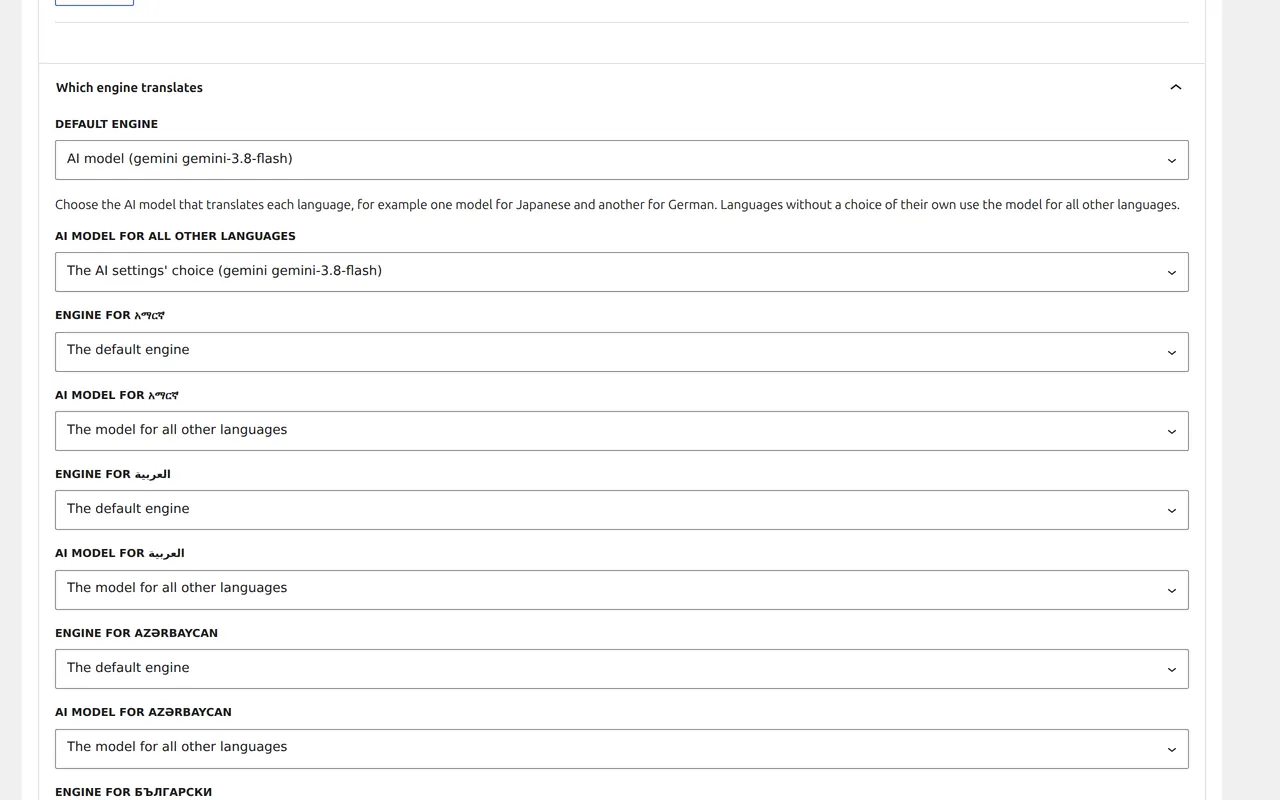
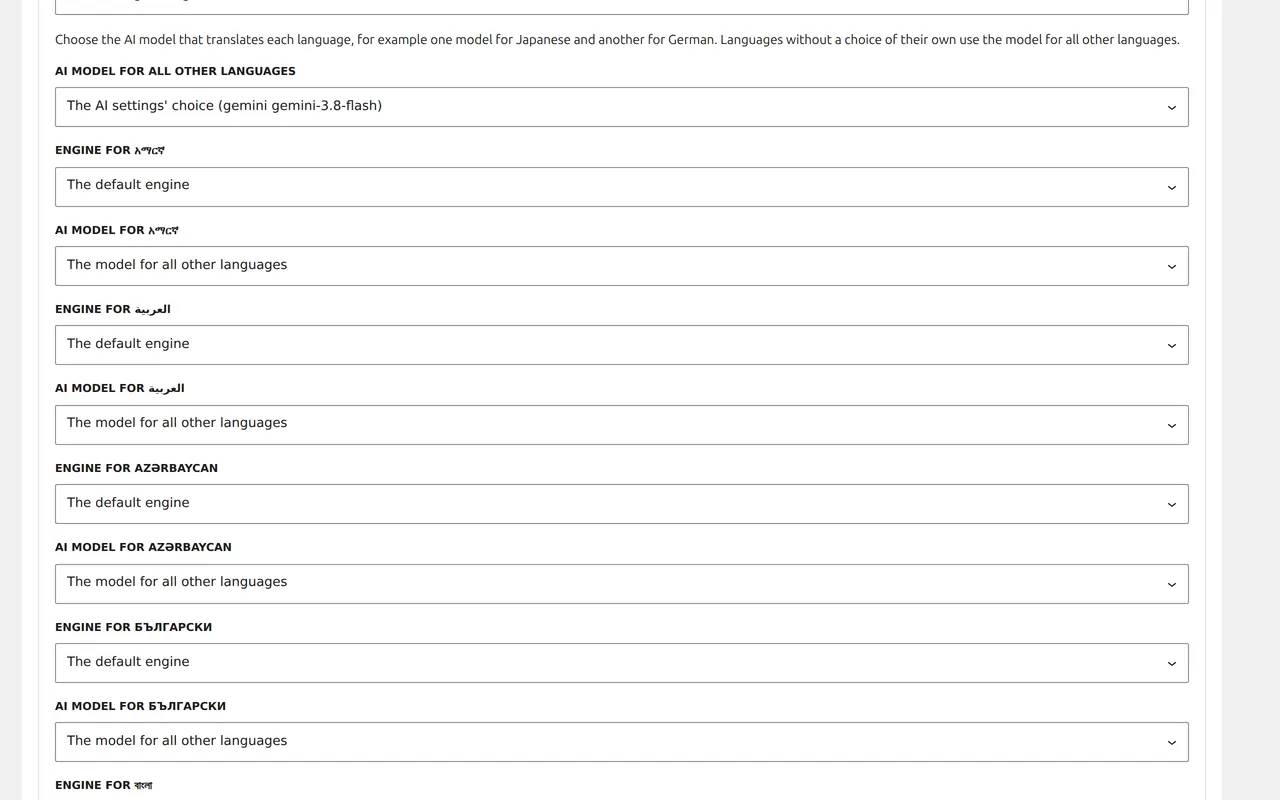
Pick the best AI for each language
Choose the AI model that translates each language: one model for Japanese, another for German, and one model for all the other languages. You can still pick a different engine per language, such as DeepL for French. Spending caps and automatic fallback keep working per language, and every translation records which model made it.
Questions people ask
Which engine is best?
For most European languages DeepL and the larger AI models both do very well; AI models also cover languages DeepL does not. With Tranzly you can use a different engine for each language and compare.
Is my content sent to Zinn Digital?
No. Tranzly sends your text only to the translation service you chose, with your own key, which is stored encrypted on your site.
Can I cap what I spend?
Yes. Tranzly shows the estimate before every job, and Tranzly Pro adds a monthly spending cap per engine with automatic fallback.
Use the translator you trust, at its own price
Start free with unlimited languages. Tranzly Pro adds the rest, with a 14-day free trial and no card needed.